Sainlogic SA9 Weather Station for Small Farmers Review
Weather stations are incredibly useful and a lot of fun for the small farm or homestead. We’ve been using the Sainlogic SA9 for the last few weeks. Here’s what you should know about this professional at home weather station.
What is a Weather Station?
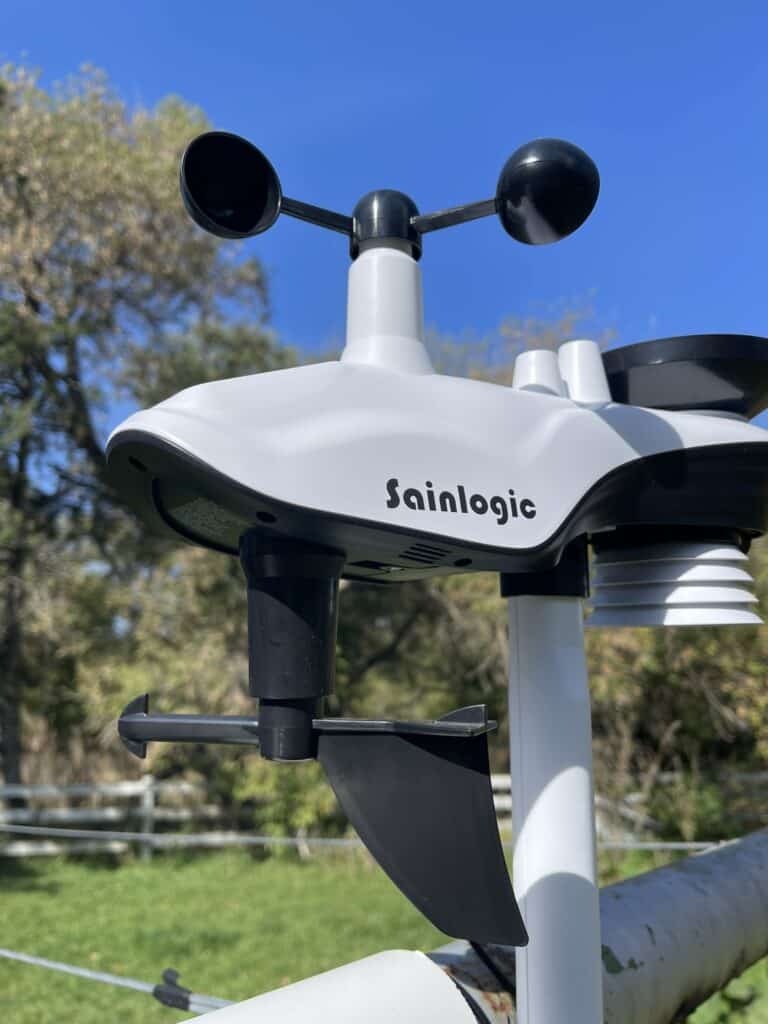
Weather stations are small units that can keep track of weather at a particular location. The Sainlogic SA9 keeps track of things like…
- Rainfall amounts
- Temperature
- Humidity
- Wind speed
- Wind Direction
- UV & Sunlight Levels
- Barometric Pressure/Air Pressure
This data is transmitted from the weather station to an indoor display, an app on your phone, or both! It’s very helpful to know the weather conditions at home or you can even keep it at different locations like other farm yards, vacation homes, etc.
The Sainlogic SA9 Setup Process
Indoor Monitor
This weather station comes with a plug-in monitor screen that you keep in your home. As your weather station gathers data outside, it transmits the real-time data back to your monitor. The monitor has a 8.15-inch HD color LCD display. The large display includes relevant data and even the moon phase!
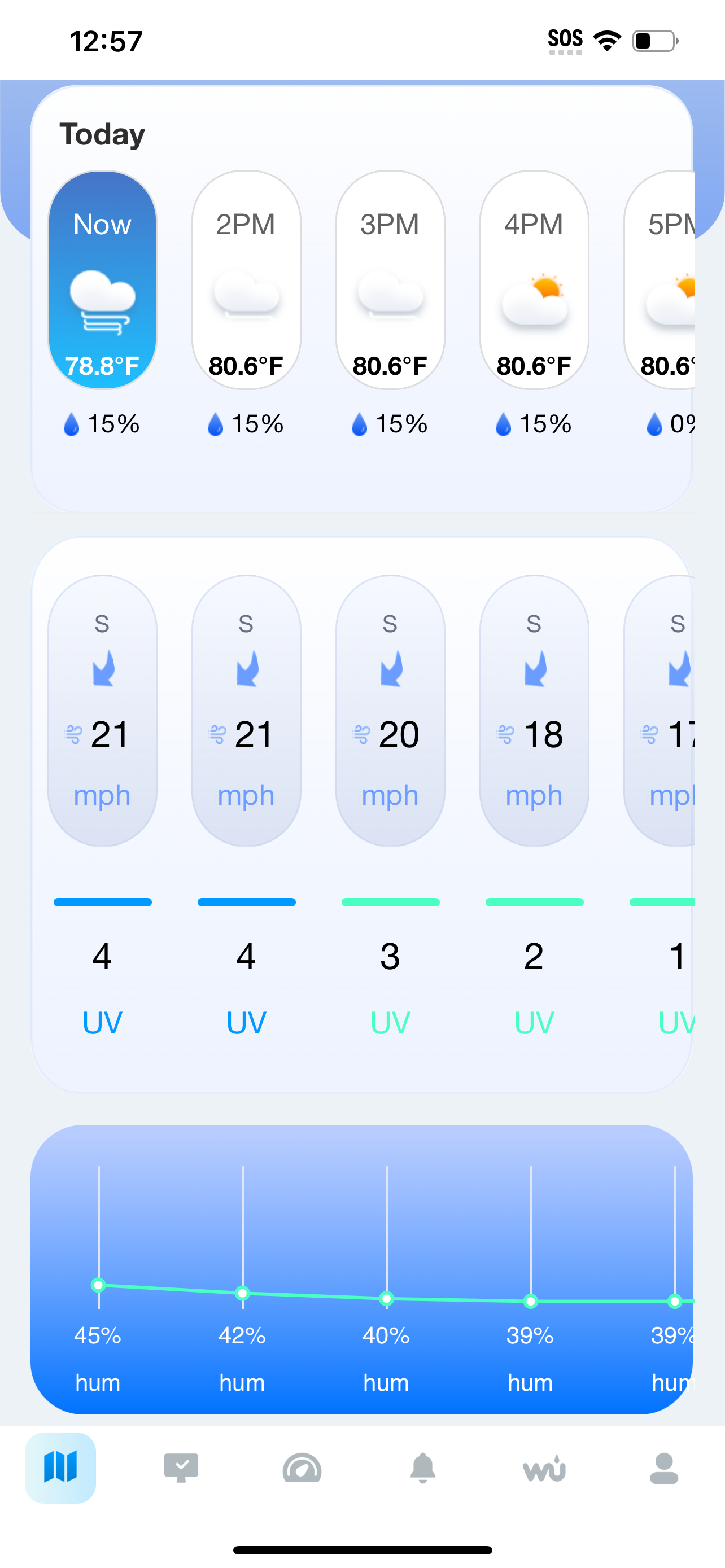
The information that is transmitted back to your monitor also goes to an app, Weatherseed, on your phone.
This feature is particularly handy as you can see what the weather is doing back at home when you are traveling. There is no charge to use Weatherseed and set-up is pretty straight forward.
The indoor monitor also monitors the temperature and humidity within your home. I love this feature so when we travel during the winter we can check in to make sure our furnace is working properly. More on that later in the review.
The monitor can run on battery power or be plugged in. They recommend keeping it plugged in as it will use batteries quickly, considering it is constantly receiving data from the weather station.
This post contains affiliate links, which means I make a small commission at no extra cost to you. See my full disclosure here.
Weather Station Mount
The weather station comes with a sturdy mount and four long, solid screws. You can insert the station stand directly into the mounting block or you can insert it into the side. This allows you to attach it on the top of a surface or mount it to the side.
Weather Station
The station itself looks like a cute little spaceship. We decided to name ours Wally (after the Disney robot). In the mornings now our kids ask, “What does Wally say the weather is like?” Wally has seven in one smart sensors that can transmit up to 330 feet back to your monitor/display in your house.
It is both solar and battery powered so the three AA batteries in the station should last around three months.
Setting Up Your Weather Station
The Sainlogic SA9 Weather Station comes with three set up guides. One is the full user manual, one is a quick start guide, and the other is the Weatherseed App instruction manual.
Honestly, I found the quick start guide to be repetitive and kind of confusing, so I would recommend going straight to the user manual.
Set up was really easy. You pop some batteries into the weather station and peel off a sticker. Plug in the monitor, then press and hold a “Reset” button on the bottom of the weather station.
That’s it! They also have it all step-by-step on YouTube.
Weatherseed App
When it comes time to get the Weatherseed App, simply download it from the App store.
Then you will need to scan a QR code on the back of your monitor screen. You provide WiFi details and make sure your phone Bluetooth is on. Then just follow the prompts.
If you get stuck at all they have a YouTube video for that as well
Setting Up Your LCD Display/Monitor
Again this one is pretty much “plug and play” and it is ready to go right away. Their User Manual has a ton of information on how to read the display (most of it is pretty standard but some is a little more in depth).
The Sainlogic YouTube channel has a great video that takes you through the features and how to toggle through settings. I’d recommend checking that out just so you can understand your options.
Essentially, after plugging it in and connecting the weather station through wifi/Bluetooth, the display/monitor starts to populate with up-to-date information from your station.

Selecting a Location for the Weather Station
Our best location for the station was on top of our clothesline frame. This wasn’t too close to any buildings, wasn’t under any trees, etc. It is the best open area in our yard so it was an easy choice.
They have a guide to selecting the best location in the user manual, so where you mount your unit will vary depending on your own buildings, trees, etc.
Our unit is located about 100 yard from our monitor display, and it is able to connect via the Wifi/Bluetooth through two walls of our home.
Weather Forecast
The SA9 model weather station also comes with AI weather forecasting providing a 24 hour, hour-by-hour forecast as well as 7-day forecasts.
The forecasts are based on outdoor data and barometric pressure. They do say in the manual that this is around 70% accurate, so you should rely on NOAA or another trusted weather source for more accurate forecasts.
Data and Storage
If you like comparing weather information each month or even compare your weather to last year’s, you can easily do it with their 2-years of data storage. You can also export this information every week or month for your own weather records.
Alarm Settings
One feature of this station that I love is it has alarms you can set for different things. For example, I can set an alarm for a certain indoor temperature. If our house drops below say 60 degrees F in the winter, I can set an alarm to send a notification to my phone and e-mail. There are multiple alarms for different things, both indoor and outdoor you can have the station alert you to.
Maintenance
This unit is mostly maintenance free, requiring only a check up ever three months. At three months they recommend changing the unit battery (the outdoor sensor includes a solar panel) and cleaning out the rain gauge catchment. You might need to do a firmware update every now and again but you will get notifications on the app when those are due.
It’s also a good idea every once in a while to make sure the outdoor temperature readings, humidity readings, dew point, etc. are relatively close to what NOAA is reporting. If your information is drastically off you might need to recalibrate the unit. A slight difference of a degree or two isn’t anything to worry about.
Keep an eye on your wind gauge too, to notice if it stops spinning as they can get jammed up with debris.
Connect with Weather Underground
Part of why I was so excited to get a weather station is to involve my kids in weather monitoring. We are always looking for ways to be a part of our community, to give back, and to learn.
The Weatherseed app integrates with the Weather Underground, which is a collaborative community of weather sharing. Over 250,000 personally owned weather stations, like the SA9 share their data with Weather Underground. The Sainlogic SA9, once connected to the Weather Underground through the Weatherseed app, will share your weather data, too!
This network of home weather stations creates a super local picture of weather and climate patterns. Weather Underground also connects with NOAA (the National Oceanic and Atmospheric Administration) to provide data that can help meteorologists and climatologists in their work for weather reporting and prediction. Your weather station and data get to be a part of that.

Cons of the Sainlogic SA9
Overall, this weather station get a solid A rating from me. There are only a few negatives I have to report.
First, there are so many options for the monitor/display screen it is a little overwhelming, even when tackling it with the manual. It’s great to have options, but it’s a little much for a novice like me.
Second, our display isn’t showing wind accurately while the Weatherseed App is. As I type this, I can hear the wind chimes banging and see the trees blustering outside my window. The app shows that the wind is at 21 mph. The indoor display has the wind listed as 0.
This is something I plan to troubleshoot with Sainlogic to see where I might need to calibrate or reset something on the display/monitor.
They say that the monitor should stay plugged in at all times, and that it will completely drain the three AAA batteries within two hours if not plugged in. This tells me it must use a significant amount of electricity.
Lastly, the unit will not transmit through metal. If you have sheet metal siding or perhaps you want to use this monitor in a shop or similar, it will not be able to transmit data through the metal.
How Much Does the Sainlogic SA9 Weather Station Cost?
You can ge this station for $159.00 on Amazon. This is a pretty standard price point for at home weather stations.
Get Your Own Sainlogic Weather Station SA9
We are truly enjoying our weather station and we are just getting started! If you’d like to get your own home weather station, they are available here on Amazon.
You can use code RTFarm for 20% off your purchase! A weather station is a great addition to your small farm or homestead and though I know it’s a cliche, it is truly fun for the whole family.
More Product Reviews
- NutriMill Enameled Cast Iron Collection
- Farmers Defense Garden Sleeves & Apron
- Lodge Cast Iron Bread Pan
- Nurture Right 360 Egg Incubator